AI that decorates, sculpts and photographs your cake
Not a picture generator you then have to recreate by hand. The AI works inside the design — what it makes lands on the cake you are already building, and the price updates with it.
Try it without signing up
Pick a cake, change its colours and finish, and watch the price move.
Loads a 3D viewport · works best on desktop
Describe a decoration
Type what you want — a blush sugar rose, a gilded damask tile — and place it on a tier. Decorations, seamless patterns and crisp vector tiles, all recolourable to your palette.
Sculpt it into 3D
Turn any image into a real 3D model and set it on the cake: prompt one, upload your own, or pick from your library. Two sculptors to choose from depending on how much detail you need.
Send the photo, not the render
Beautify re-renders the exact cake you designed as a studio photograph — same tiers, same colours, same composition — so the client sees a cake, not a 3D model.
Beautify
From design to client-ready photo
Snap the design you built and get back a photograph — studio light, real texture, the exact cake you and the client agreed on. Ready for WhatsApp, Instagram, or the front of the quote.
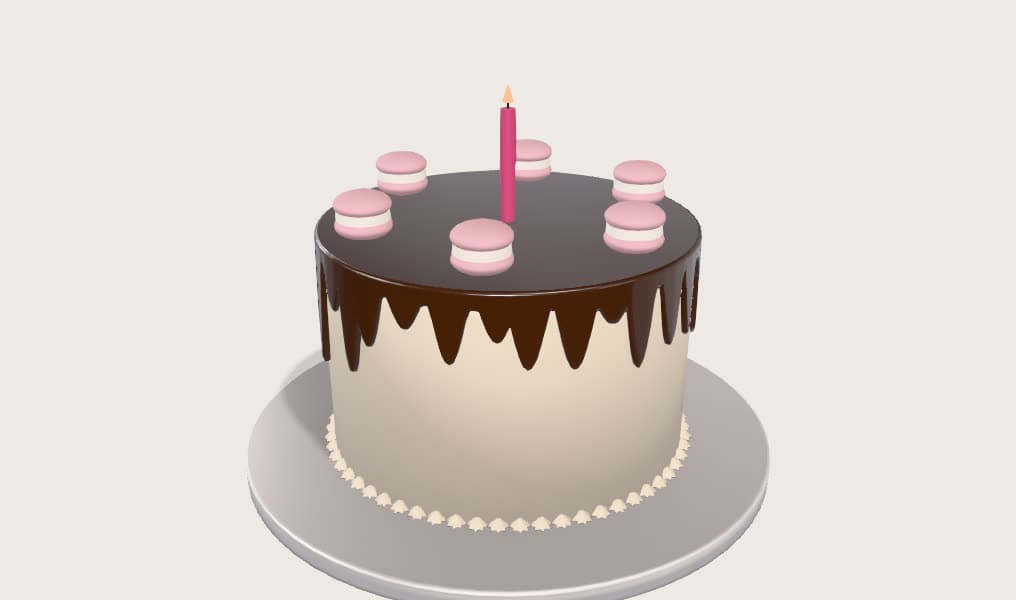 Your 3D design

Frequently asked
Can the AI design a whole cake from a description?
Not from words alone. The 3D sculptors work from an image, so the flow is two steps: generate or upload a picture, then sculpt it into a model. In practice you describe what you want, the AI makes the image, and it becomes a 3D object on the board — but the honest description is image-to-3D, not text-to-cake.
What does Beautify actually do?
It takes a snapshot of your current 3D view and re-renders it as a photorealistic image, keeping the design, composition and colours of the cake you built. It is image-to-image: the cake in the photo is the cake you designed, lit like a food photograph.
Which AI models does it use?
Decorations and patterns use FLUX.2, vector tiles use Recraft. Beautify offers FLUX.2 edit plus two Gemini image models for stronger food-photo realism. Sculpting offers Trellis 2 or the Rodin flagship. You pick the model and see its token cost before you spend anything.
How much does a generation cost?
Each tool shows its token cost on the button before you run it, and the price varies with the model you pick — the faster editors cost a couple of tokens, the flagship sculptor and image models more. Failed generations are refunded automatically.
Do I own what the AI makes?
Yes. Generations are saved to your own library and can be placed on any design, exported in your quote, and reused across cakes.
Can I use my own photos instead?
Yes. Upload an image and sculpt it into a 3D model, or pick something you generated earlier from your library. The AI is one source of decorations, not the only one.
Keep reading
3D Cake Design Software
Design cakes in 3D in your browser. Build tiers, add decorations, and show clients a realistic preview before you bake — with instant pricing built in.
Cake Design Software
Cake design software for bakers: build the cake in 3D, cost it automatically from your own rates, and send a professional quote. Runs in the browser.
3D Cake Design Tool
Design your own cake online in 3D — stack tiers, decorate, and see the price as you build. Watch the demo, then start designing in your browser.
Start designing and pricing your cakes
Sign in with Google or email and start designing — no waitlist, nothing to install.